
Everything you need to know, and manage, what's on your network
Every feature below is included in every Census license, including the free edition. Two optional add-ons, certificate renewal and extra help desk technicians, each come with a free allowance.
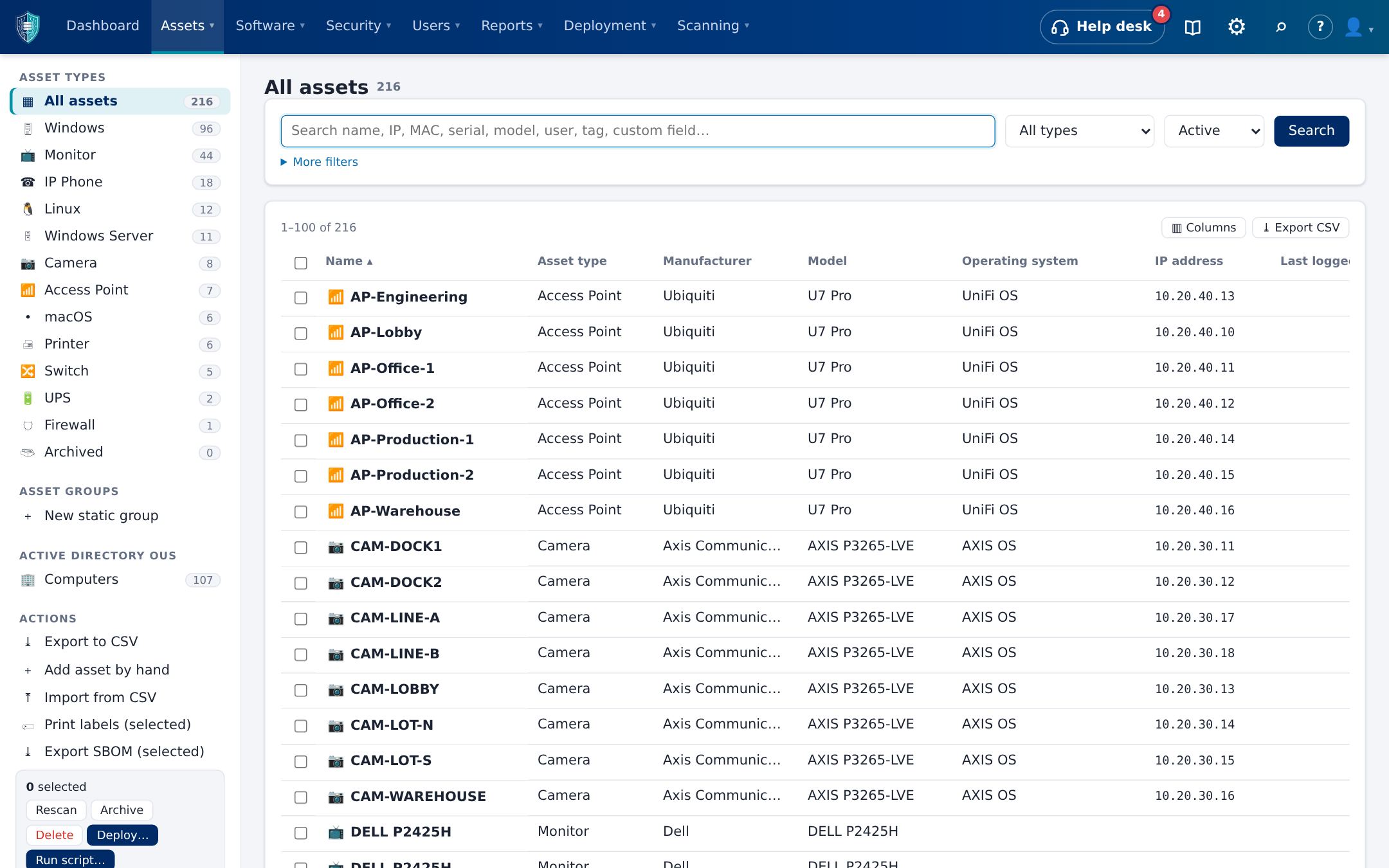
Find every device, even the ones nobody told you about
Scan CIDRs, ranges, host names, Active Directory OUs, asset groups or the results of a report, on a schedule. Census identifies each device by its open ports, DNS, MAC vendor and web interface.
- Ping and TCP sweep of 45 common ports, with one-click Open, SSH, Remote Desktop and VNC.
- An embedded IEEE registry of 58,000+ MAC vendors. Randomized phone MACs are recognized too.
- Built-in fingerprints classify NAS boxes, printers, phones, TVs, cameras, consoles and more, and you can add your own type rules.
- Passive discovery: agents and scanners notice devices from ARP, DHCP and mDNS between scans.
- Remote scanners for branch offices connect out to your server. No inbound ports and no extra cost.
Agentless where you can, an agent where you need it
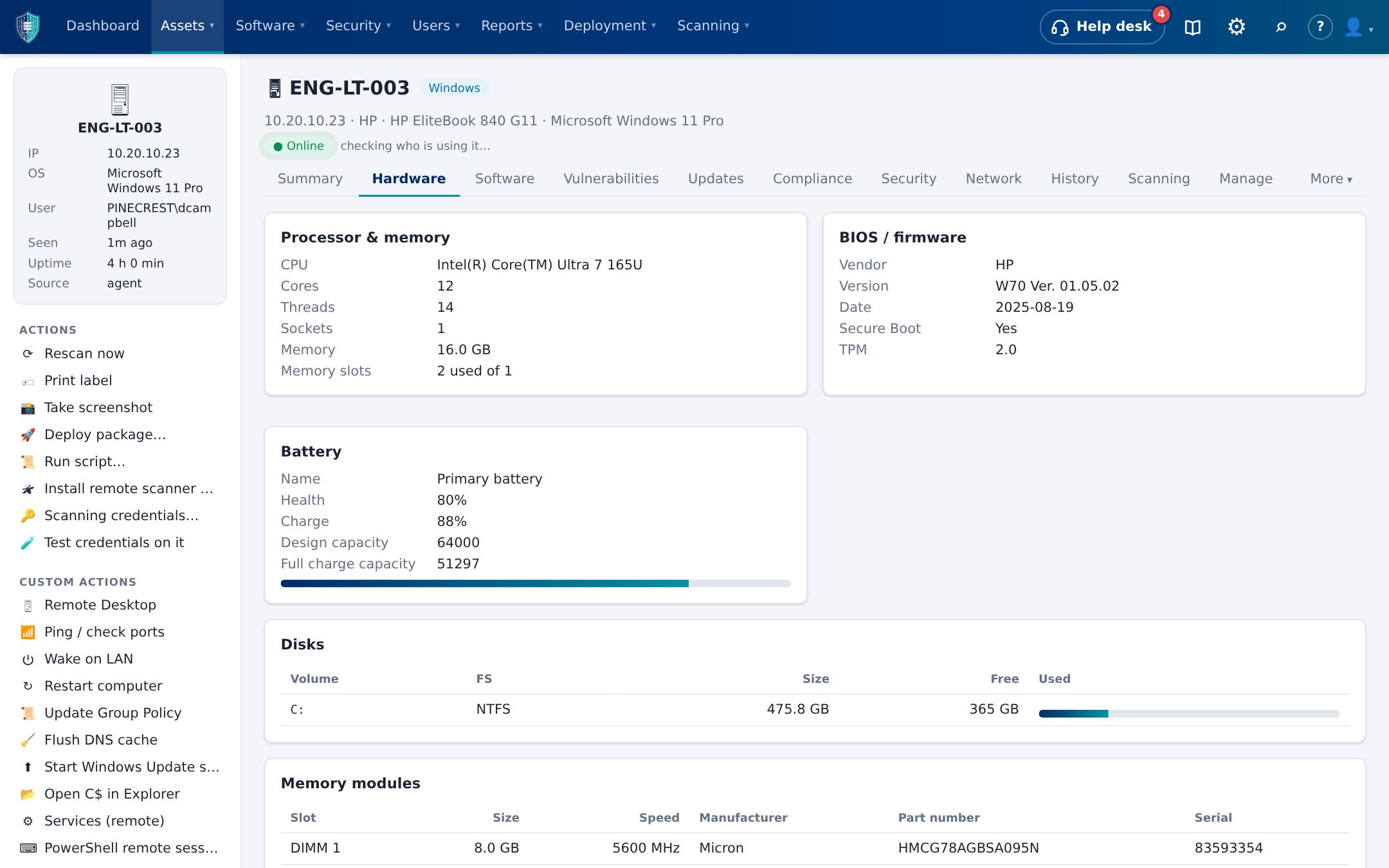
WinRM for Windows, SSH for Linux, macOS and Unix, SNMP v1/v2c/v3 for network devices. The 7 MB Census agent covers laptops, remote sites and machines you can't scan. It reports from anywhere and makes actions instant.
- Hardware: serials, CPU, memory modules and free slots, disks, GPUs, monitors with serials, battery health, TPM, Secure Boot.
- Software: every program, including per-user installs, Store apps, hotfixes, drivers, services, startup items and SQL Server instances.
- Security: antivirus, firewall, BitLocker with recovery keys kept safe (encrypted, every look recorded), local administrators, shares, certificates, event-log errors and Windows activation.
- People: who logged on to which computer and when, merged with Active Directory and Entra ID users.
- Warranty lookups for Dell and Lenovo (other brands by CSV import), plus custom fields, statuses, documents and QR labels.
Active Directory & Entra ID
Sync users, groups, computers and OUs over LDAP/LDAPS, and Entra ID, Intune and Azure VMs through Microsoft Graph. Computers found on the network but not inventoried yet get their Windows version from the directory.
Hypervisors & cloud
VMware vCenter/ESXi, Hyper-V, Proxmox VE, XCP-ng and AWS EC2, including powered-off VMs.
Other sources
Read devices from Configuration Manager (SCCM), Google Workspace and Workspace ONE. Census only reads from them and never makes changes.
Printers & SNMP
Toner and supply levels with low-supply alerts, page counts per month with cost per page, custom SNMP values and MIB file import.
UniFi & Meraki
Access points, switches and gateways from your UniFi controller or Meraki dashboard, and which access point or switch port each device is on.
Server hardware health
Fans, temperatures, power supplies, drives and firmware from HPE iLO, Dell iDRAC, Lenovo XClarity, Supermicro and Cisco CIMC, with an alert on faults.
Microsoft 365 licenses
Licenses bought, assigned and unused, licenses on disabled or inactive accounts, duplicates, and what it all costs per month.
Browser extensions
Every extension in Chrome, Edge, Brave and Firefox, per user, with the ones that can read every website flagged.
Know what to patch first
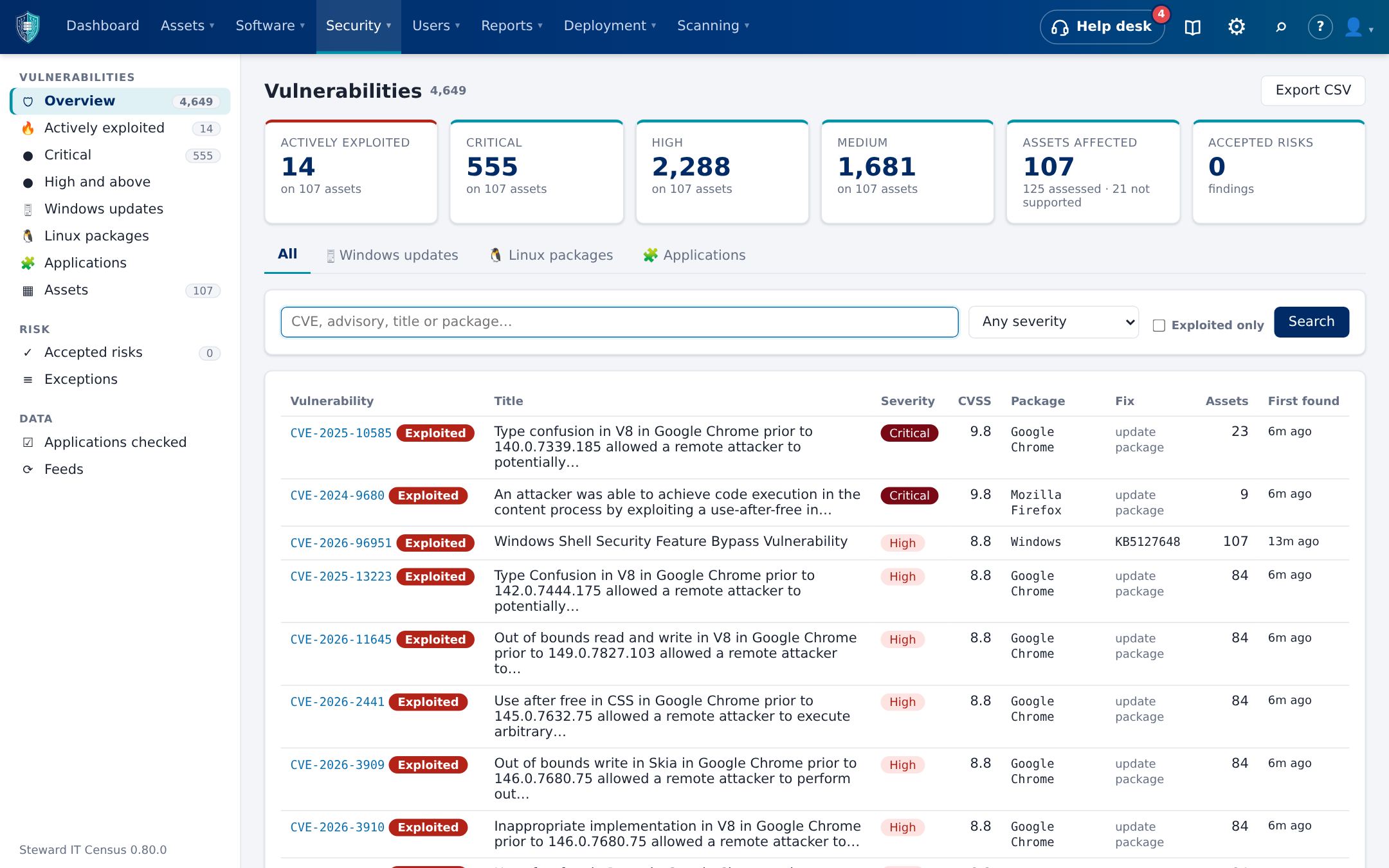
Census checks every computer against public security data and lists only vulnerabilities with a fix available, so every finding tells you what to install. Flaws on CISA's Known Exploited Vulnerabilities list are flagged and listed first.
- Windows 10, 11 and Server 2012–2025 against Microsoft's monthly updates. The finding names the KB to install.
- Debian, Ubuntu, Red Hat-family, Alpine and Arch packages from each distribution's own security data.
- Third-party apps such as browsers, PDF readers, remote-support and VPN tools, matched against the NVD.
- End of life: support dates for operating systems and server programs, from endoflife.date.
- Accept a risk with a reason and expiry date. Servers without internet access can use uploaded feed files.
Then install the fixes
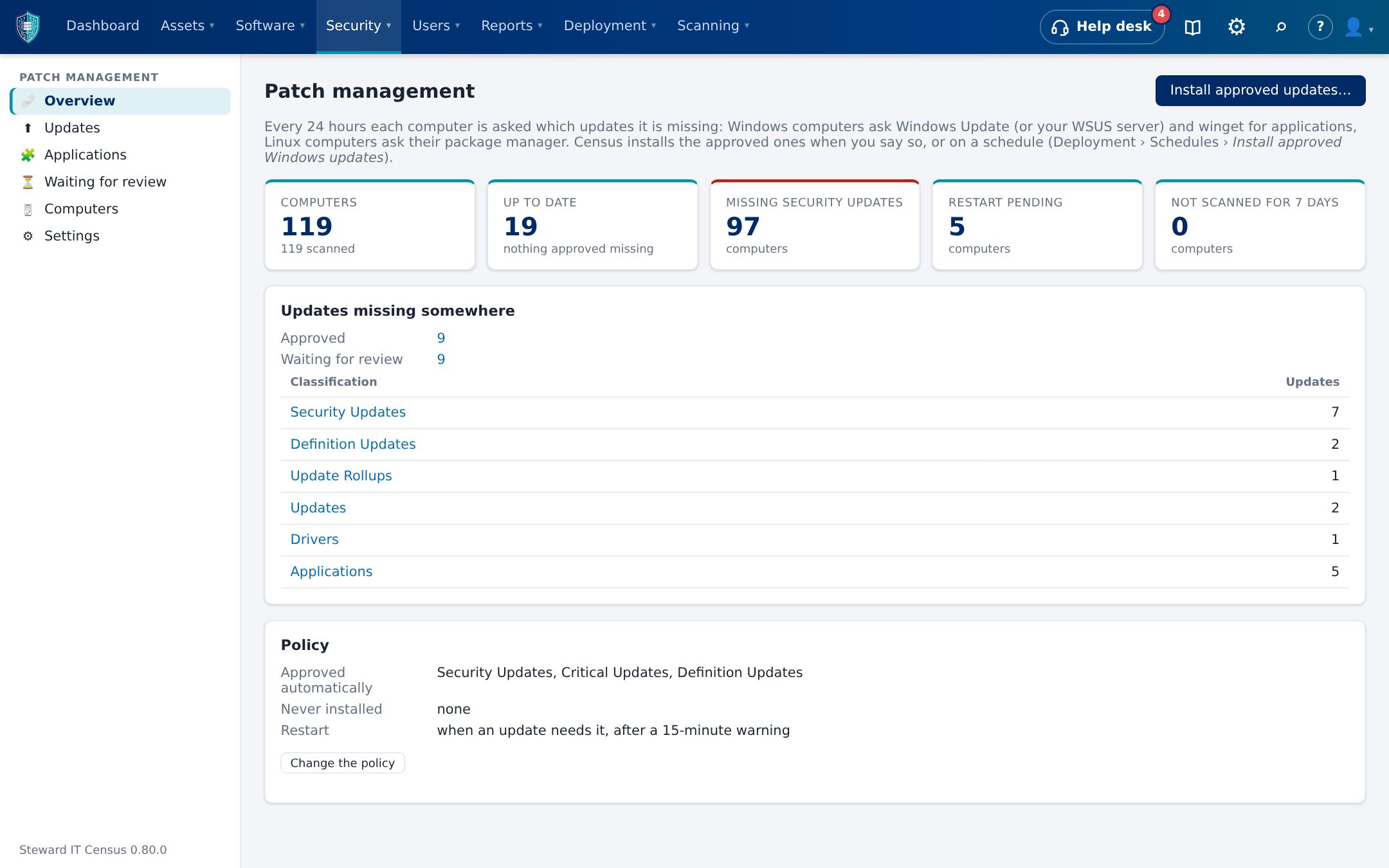
Each Windows computer asks its own Windows Update or your WSUS what it's missing, so Census needs no update catalog of its own. Approve once, and Census installs on your schedule.
- Windows updates with classification, severity, CVEs and restart behavior, for each computer and across the fleet.
- Application updates through winget, and Linux package updates with apt, dnf/yum, zypper, pacman and apk.
- Approve automatically by classification (security, critical, definitions) or by hand; decline or exclude what you don't want.
- Install now or in maintenance windows, with a restart policy and a message to the signed-in user.
- Update history per computer, reports of what's missing, and a group of computers Census never touches.
A hardening score for every computer
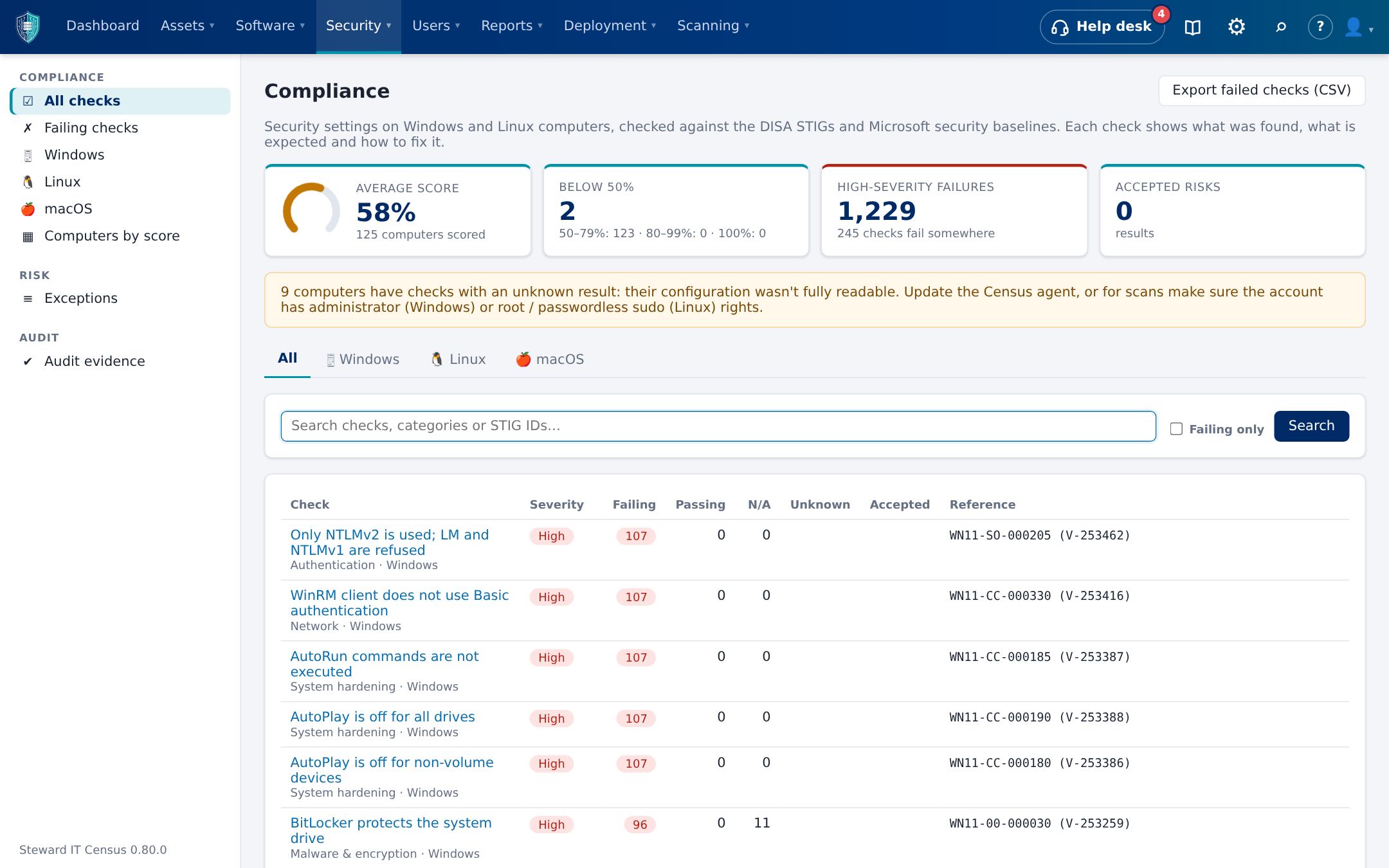
About 470 checks (217 for Windows, 230 for Linux and 21 for macOS), based on the DISA STIGs, the Microsoft security baselines and the NIST macOS Security Compliance Project. Each check cites its source rule, such as WN11-SO-000205.
- Windows: password and lockout policy, user rights, NTLM and SMB, audit policy, BitLocker, Credential Guard, Exploit Protection, system permissions, and domain controller settings such as NTDS and SYSVOL.
- Linux: SSH, PAM and sudo, kernel and boot options, mount options, audit rules, SELinux/AppArmor, AIDE, firewall and crypto policy. macOS: FileVault, SIP, Gatekeeper, firewall and sharing services.
- Every check shows what was found, what was expected, what it protects against, and how to fix it.
- Push fixes to computers with a deployment, or copy the ready-to-paste commands.
- Track scores across your fleet, accept risks with a note, and turn off checks you don't need.
Know what's installed, and what shouldn't be
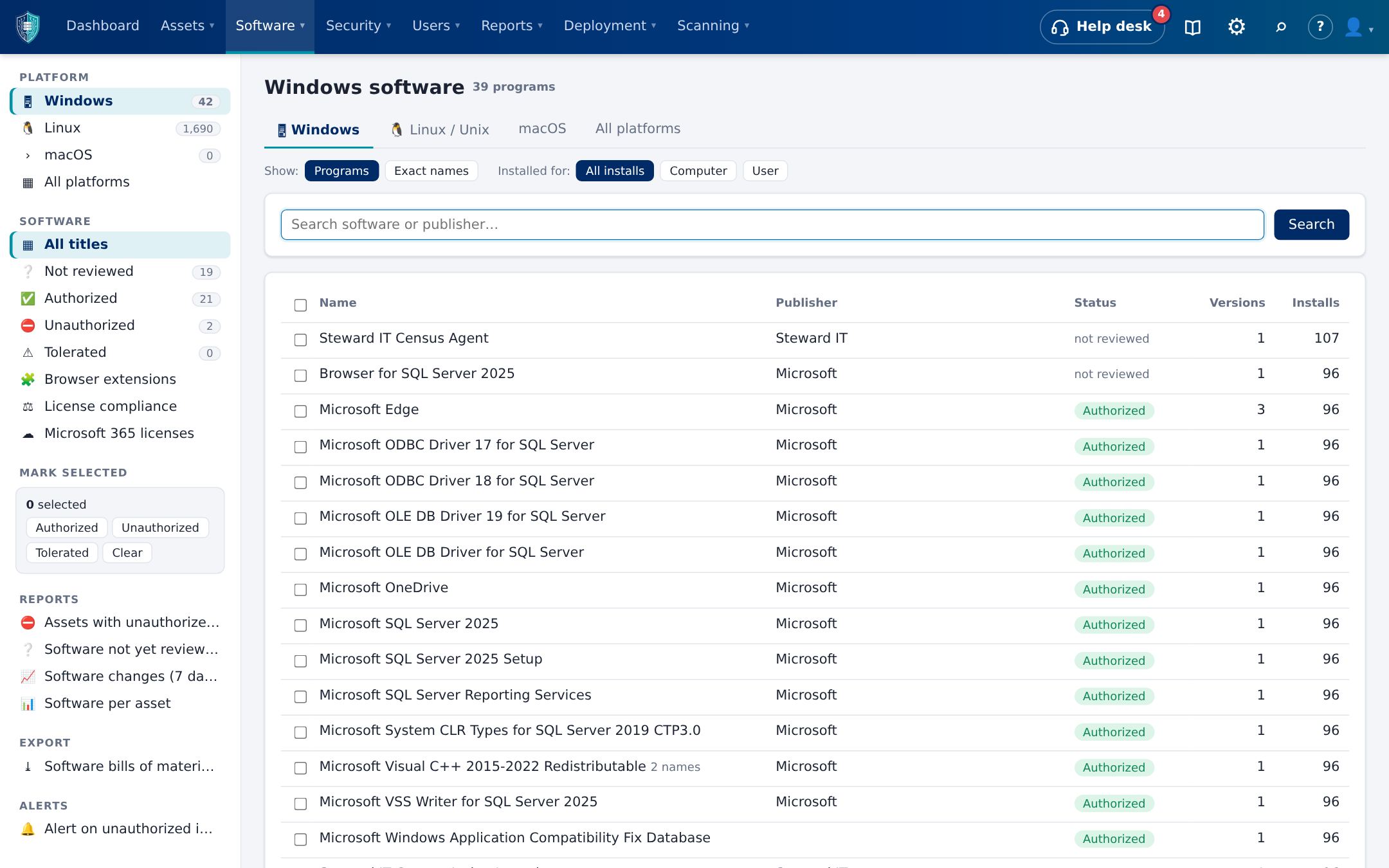
One catalog of every program across Windows, Linux and macOS. Versions and architectures are grouped as one program, so 7-Zip 23.01 (x64) and 7-Zip 24.08 (x64) count as 7-Zip.
- Mark titles Authorized, Unauthorized or Tolerated, with a review queue and alerts.
- License compliance: compare purchased seats with actual installs.
- Remote uninstall from one computer or all of them, silently where possible.
- Browser extensions per user, authorized or not, like programs.
- Microsoft 365 licenses: unused, duplicate and wasted licenses, with your prices.
- Software bills of materials (CycloneDX) for one computer or the whole fleet.
- Unauthorized-administrator detection across computers and privileged AD groups.
Fix it from the same console
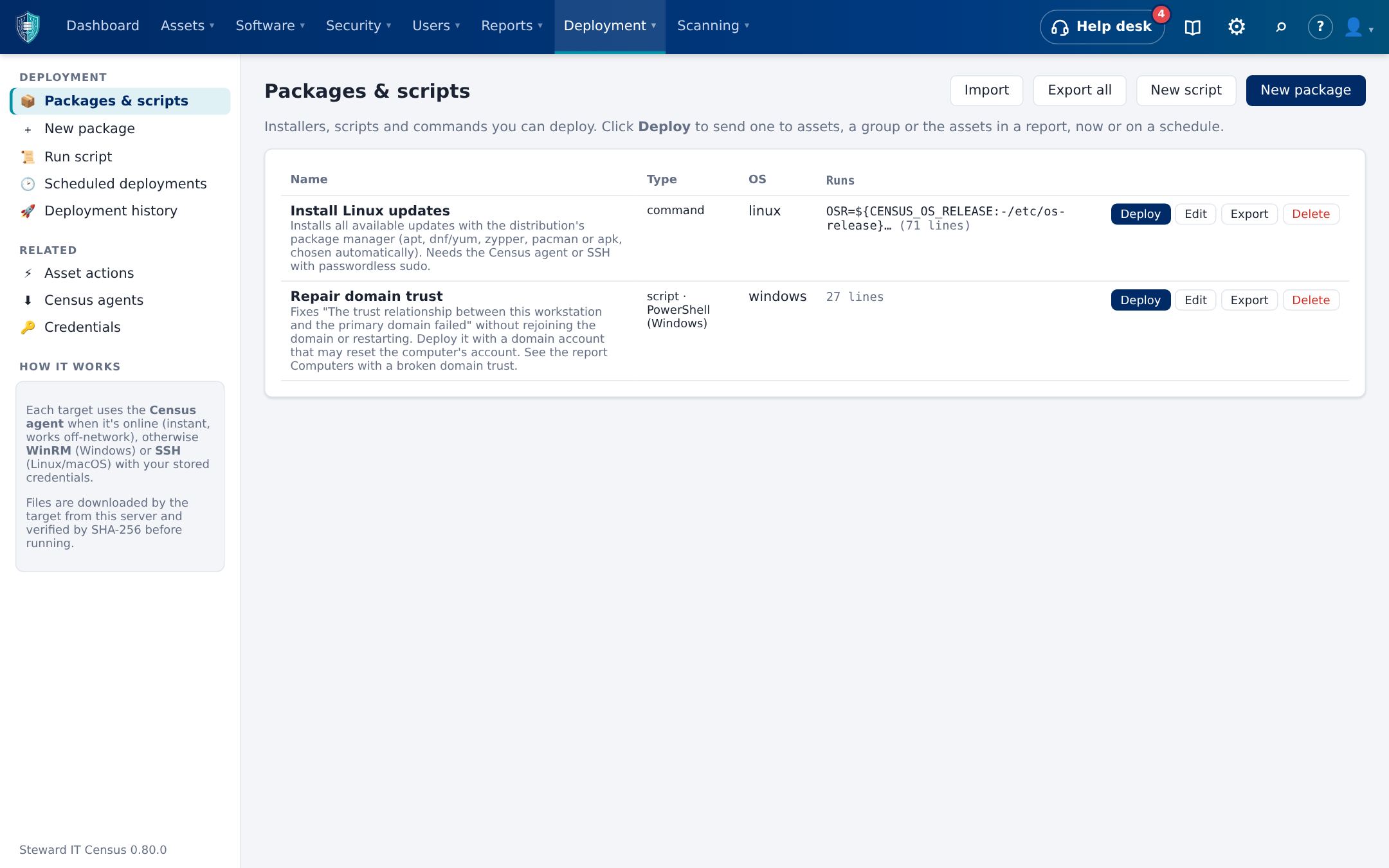
Upload MSI or EXE installers, or write scripts in PowerShell, Batch, bash or Python. Deploy to a selection, a group or every asset on a report, now or on a schedule.
- Each target uses the agent when it's online, otherwise WinRM or SSH. Files are verified by SHA-256.
- Live status, exit codes and output for each machine, with retry and cancel.
- Remote console, service control, Wake-on-LAN, screenshots, Remote Desktop and your own custom actions.
- Built-in fixes such as repairing a broken domain trust without rejoining the domain.
Tickets that already know the computer
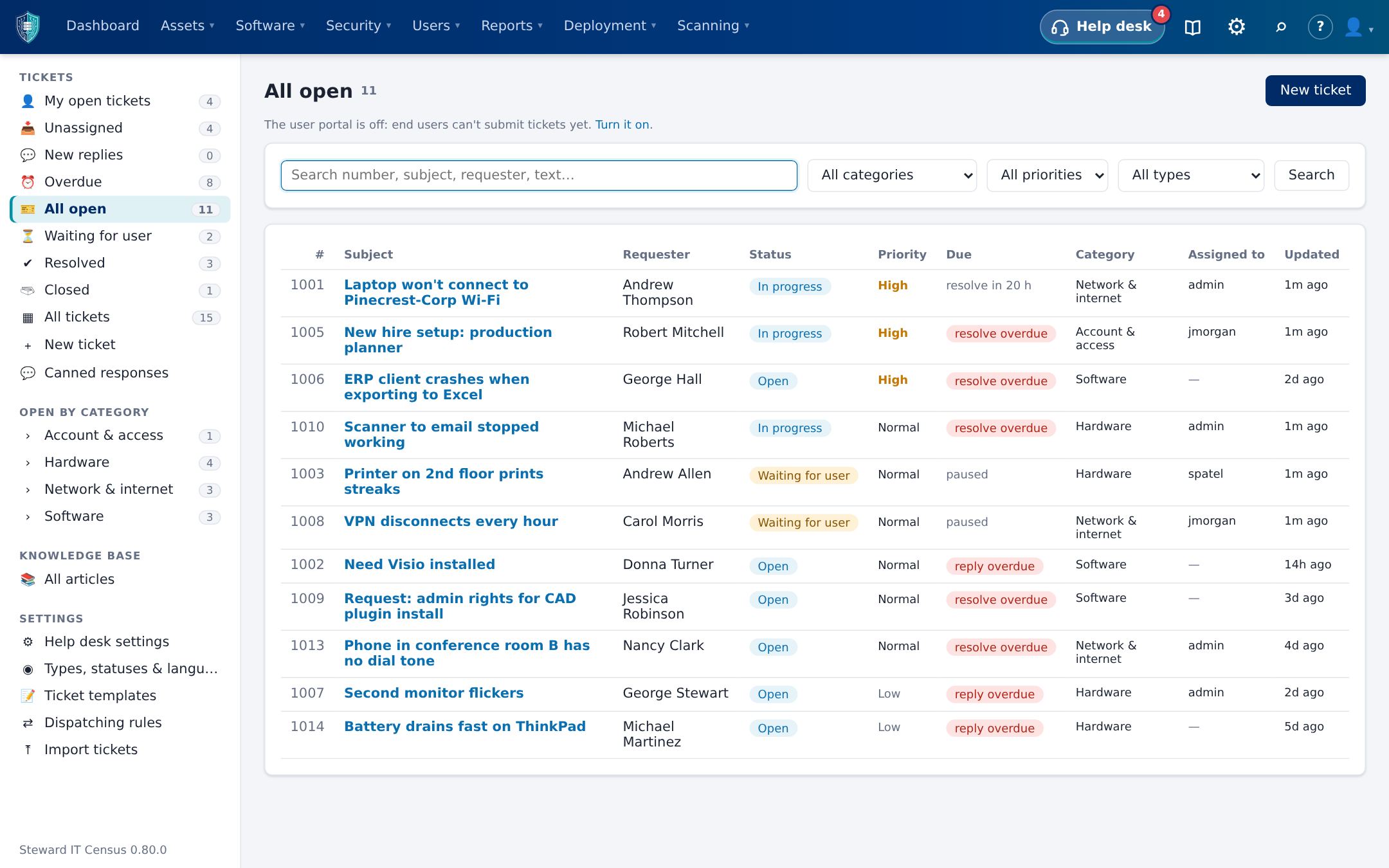
A full help desk built into the inventory. Link tickets to assets and users, so technicians see the hardware, software and history next to the request.
- A user portal with Windows or Microsoft sign-in, plus email to ticket from Microsoft 365, Gmail or IMAP.
- Service levels (SLAs), canned responses, custom fields, templates and dispatching rules.
- Merge tickets, track time (billable or not), ask for approval by email, and send a satisfaction survey when a ticket is resolved.
- A knowledge base with portal sharing and built-in how-to articles.
- One technician seat is free. More cost $100 each, one-time. End users are always free.
See how it's all connected
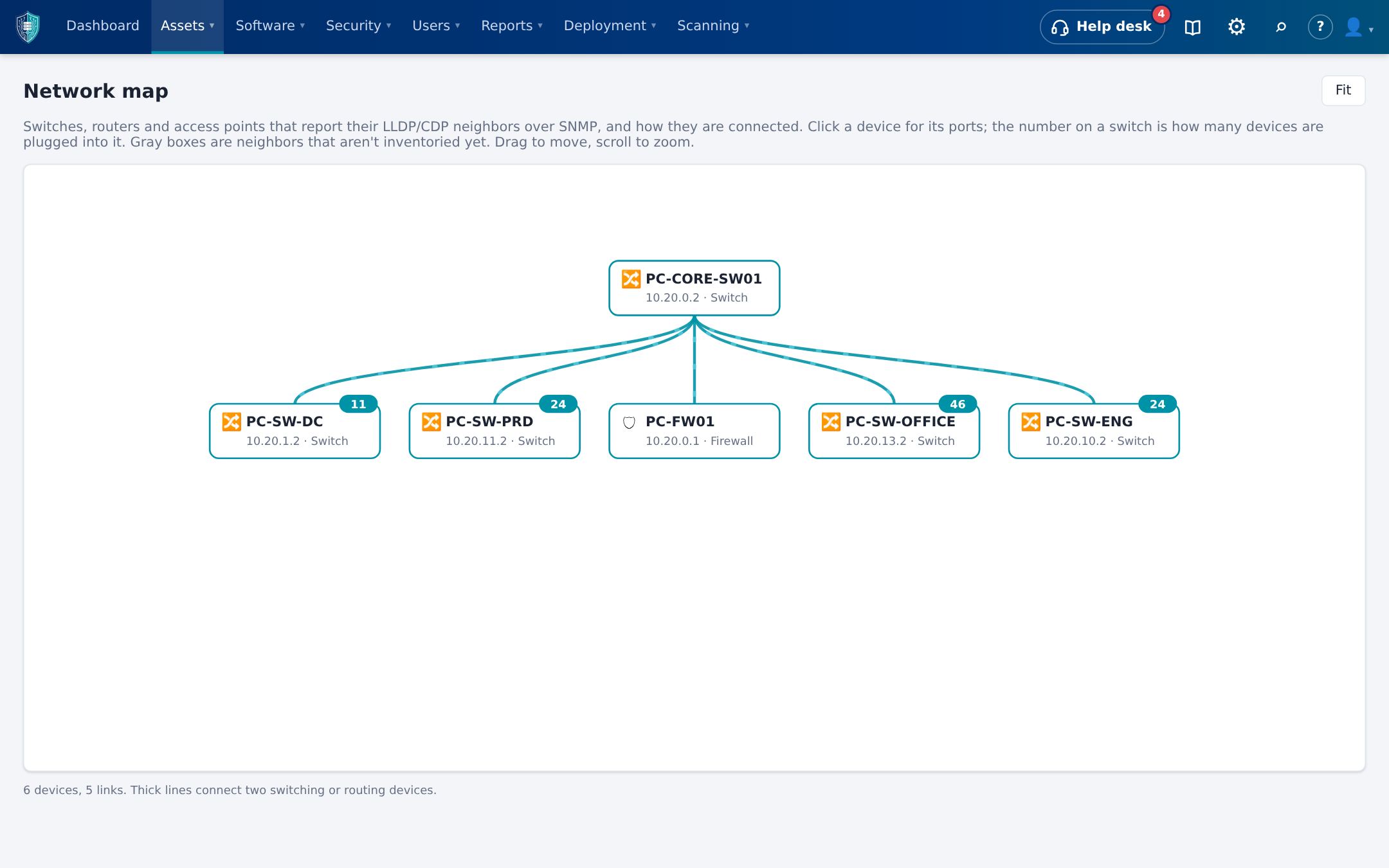
Census reads LLDP, CDP, interface and MAC-address tables from your switches over SNMP and draws the network for you, including per-VLAN tables on Cisco IOS.
- The switch port and VLAN of every computer, printer and phone.
- Uplinks, port speed and status, and the devices on each port: click a switch to open its ports right on the map.
- A live check colors every device by whether it answers, and Watch live tells you the moment one stops.
- Floor and site maps with asset pins, for the physical side.
Free trusted certificates, renewed for you
Stop buying certificates. Census gets free, browser-trusted certificates from Let's Encrypt and installs and binds them on your servers, then renews them about 30 days before they expire. Private keys never leave the server, and no ports need to be open.
- Windows: IIS, Exchange, Remote Desktop Services, RDP, SQL Server, Reporting Services, WSUS, AD FS, LDAPS, WinRM, Windows Admin Center, SSTP VPN and FTPS.
- Linux: nginx, Apache, HAProxy, Postfix, Dovecot, Proxmox, Cockpit, Webmin and UniFi, or run your own command.
- Each port is checked after binding, and the previous certificate stays in place if anything fails.
- The certificates are always free, and your first server's renewal is free. More servers cost $50 each or $500 unlimited, once.
Max. certificate life since March 2026
From March 2029
What Census charges for the certificates
Answers without writing SQL, and SQL when you want it
Built-in reports
More than 100 ready-made reports for security, hardware, operating systems, software, Active Directory, lifecycle and hygiene, with CSV and PDF export. Every list sorts by any column and pages 20 to 200 rows at a time.
Report builder & SQL
A visual builder, and a custom SQL editor on a read-only connection. Share reports between servers as files.
Alerts & schedules
Email on new devices, unauthorized software, exploited vulnerabilities, expiring certificates, hardware faults, low disk, low toner, or any asset that appears on a report. Scheduled reports arrive as PDF.
Is it up?
Watch your important assets every minute and get an email when one stops answering, and again when it's back.
Custom dashboards
Drag-and-drop widgets, per-user layouts, shared team tabs, notes, links and news feeds.
Email your way
Microsoft 365 or Gmail without a mailbox password, your own SMTP server, or Resend.
Certificate inventory
Every certificate on your servers and devices, including web interfaces, printers and iLO/iDRAC, with expiry and weak-certificate reports and alerts.
IP addresses
Every scanned range, address by address: in use, not seen for a month, or free.
Audit evidence
Evidence for your security audit, item by item, with your own statements and documents, exported as a PDF for the auditor.
Plays well with the rest of your stack
REST API
Everything the console shows is available through a JSON API, with per-login API tokens that can be read-only and set to expire.
Webhooks
Slack, Microsoft Teams, Google Chat, Power Automate, n8n, Zapier or your own scripts, with signed payloads.
SIEM
Syslog in CEF or JSON format (UDP, TCP or TLS) for Sentinel, QRadar, Wazuh and others, plus Splunk HEC.
ServiceNow & Jira Assets
Keep your ServiceNow CMDB or Jira Service Management Assets in step with what Census finds, automatically.
Monitoring
A health check address, Prometheus metrics and an OpenAPI description of the API for your monitoring and scripts.
Software bills of materials
CycloneDX 1.6 files per computer or for the fleet, with package URLs and known vulnerabilities.
Built for real IT teams
Roles & sign-in
Administrator, Viewer and custom roles, roles limited to sites or groups. Sign in with AD, Windows, Microsoft Entra ID, Google, Okta or a passkey, with two-step sign-in and lockout rules.
Audit log
Every sign-in and setting change is recorded, and actions are written to each asset's history.
Backups
Daily backups are on by default and can be password-encrypted. One command restores the server or moves it to new hardware.
7 languages
The console comes in English, German, French, Spanish, Dutch, Italian and Portuguese, and each user can pick their own.
Install it your way
A Windows installer with a setup wizard, Debian and RPM packages, a Docker image, or one program file. The agent comes as an MSI for Intune, Group Policy and PDQ.
Updates in one click
Update now downloads the signed release, makes a backup first and updates the server.
Requirements
| Supported | |
|---|---|
| Server | Windows Server 2016+ / Windows 10+, any 64-bit Linux with systemd (x64 or ARM64), or Docker. 2 cores and 2 GB RAM minimum; 4 cores and 4–8 GB recommended for 500+ assets. |
| Database | Built in, with no setup, and fine up to about 10,000 assets. PostgreSQL is optional for larger estates. |
| Inventory | Windows 11 and 10 (and older, back to Windows 8), Windows Server 2025 back to 2012, Linux, macOS, BSD and other Unix, and SNMP network devices. |
| Census agent | Windows, Linux and macOS, on x64 and ARM (Raspberry Pi included). |
| Browser | Any current Edge, Chrome, Firefox or Safari, on a desktop, tablet or phone. |
More of the console
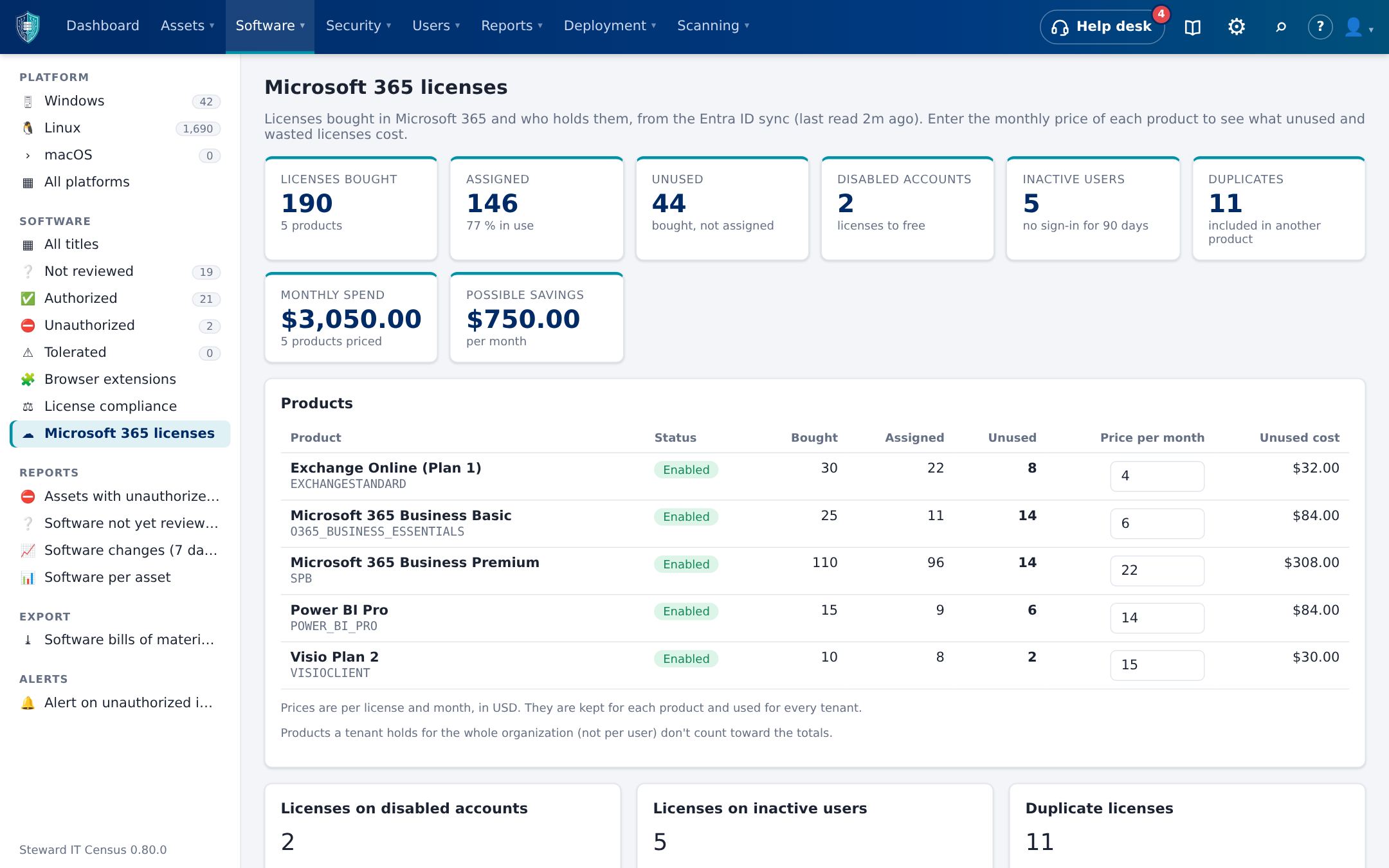
Microsoft 365 licenses with what unused ones cost.
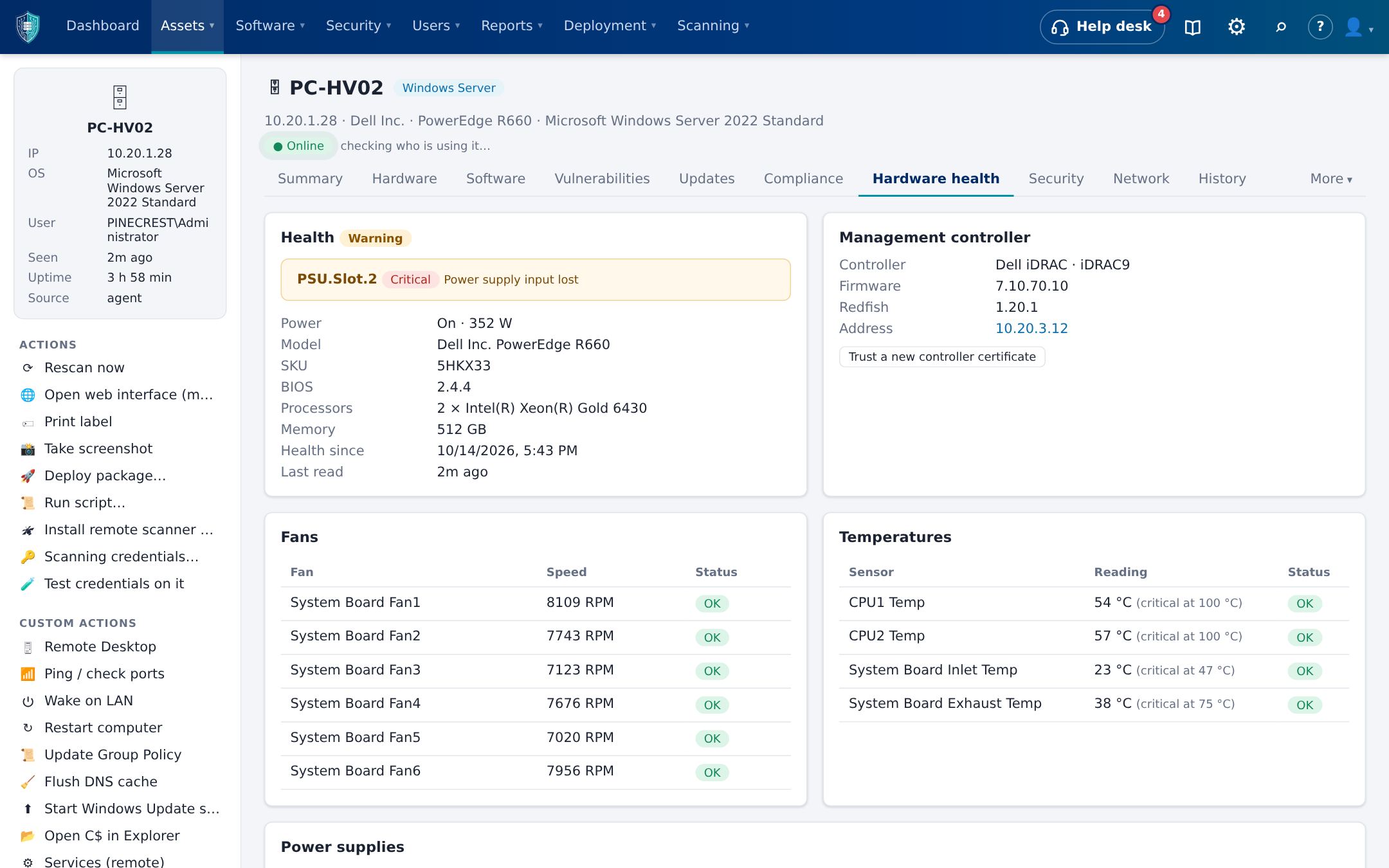
Server hardware health from iLO and iDRAC.
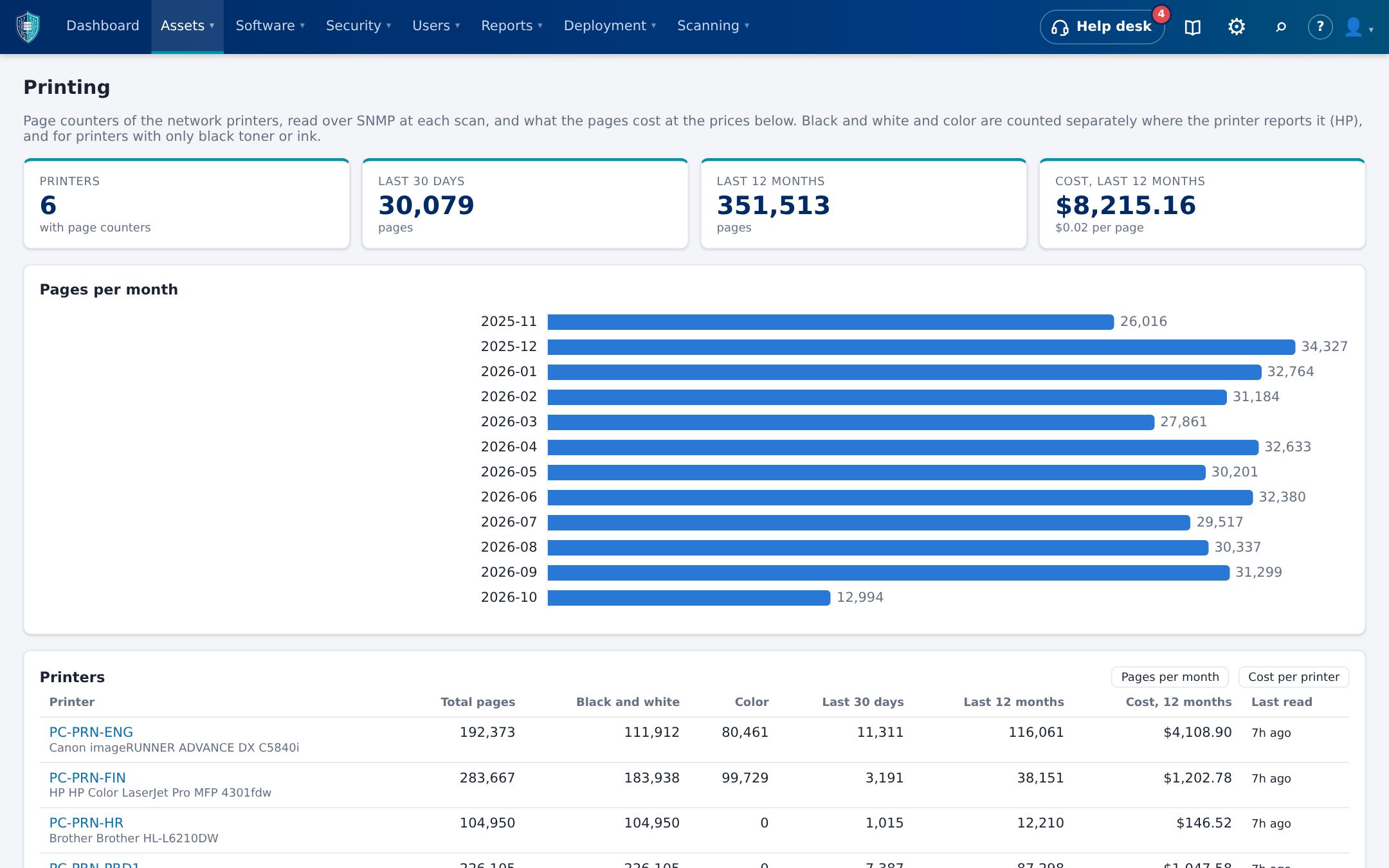
Printer page counts and what printing costs.
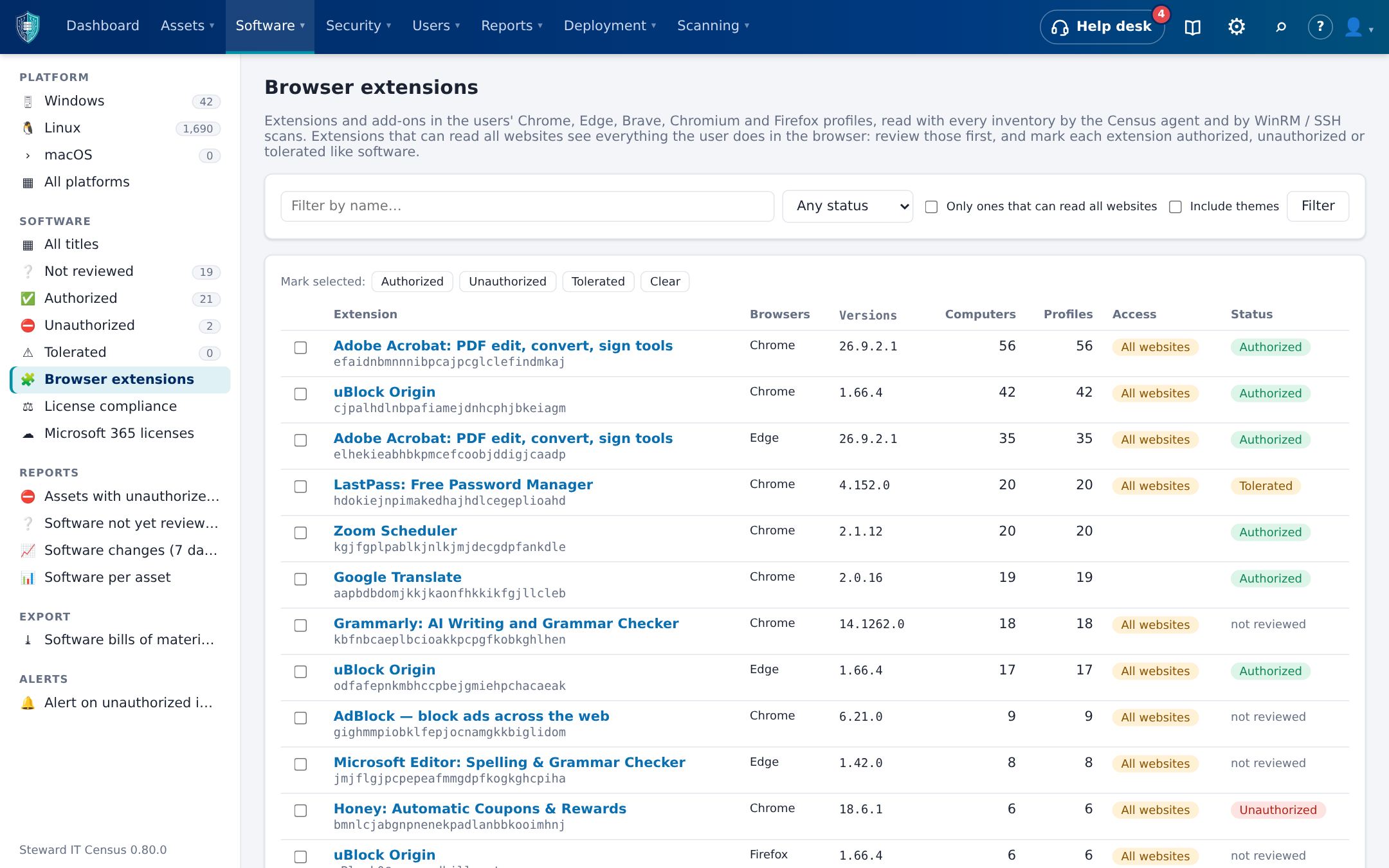
Browser extensions per user, authorized or not.
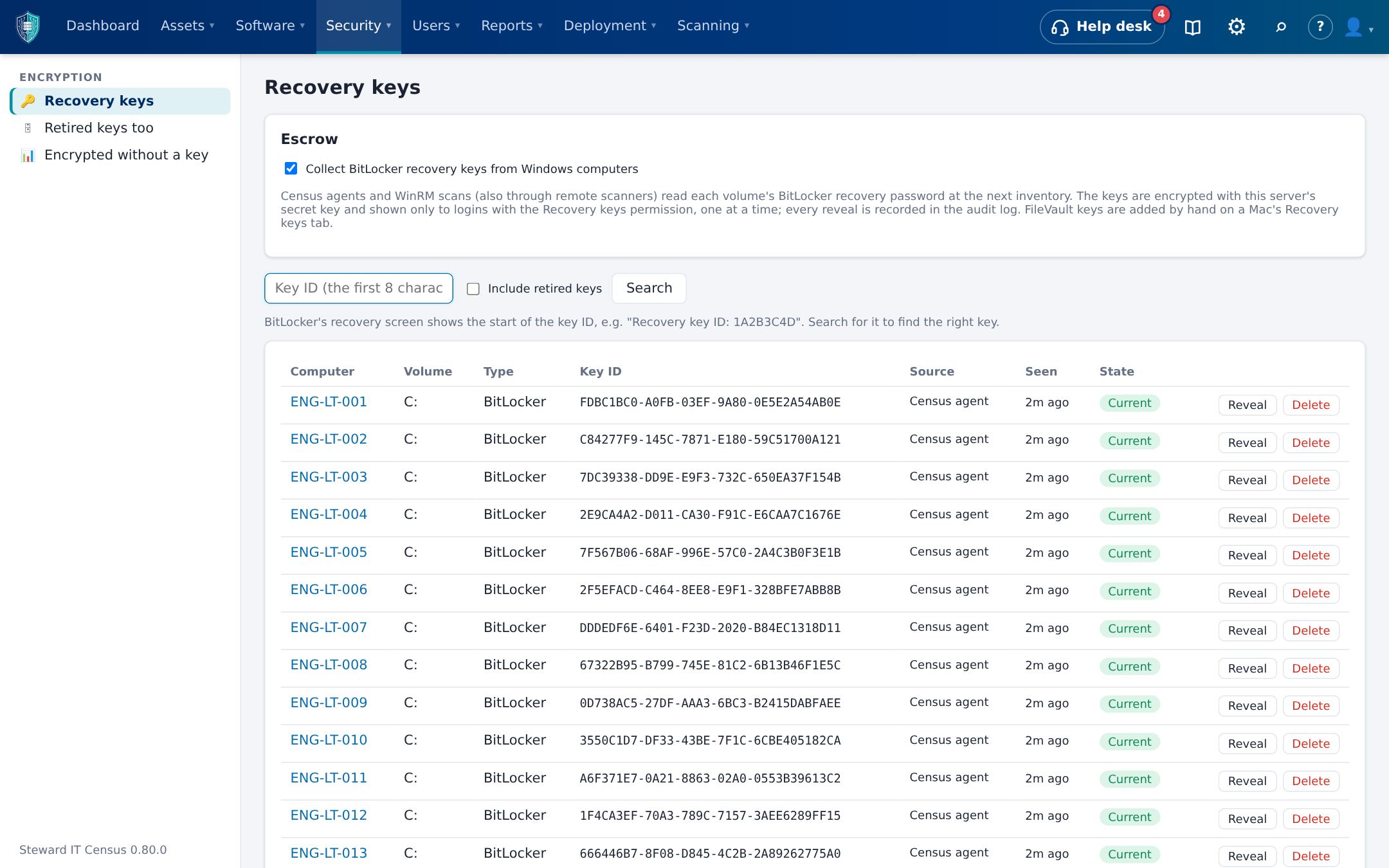
BitLocker recovery keys, encrypted and audited.
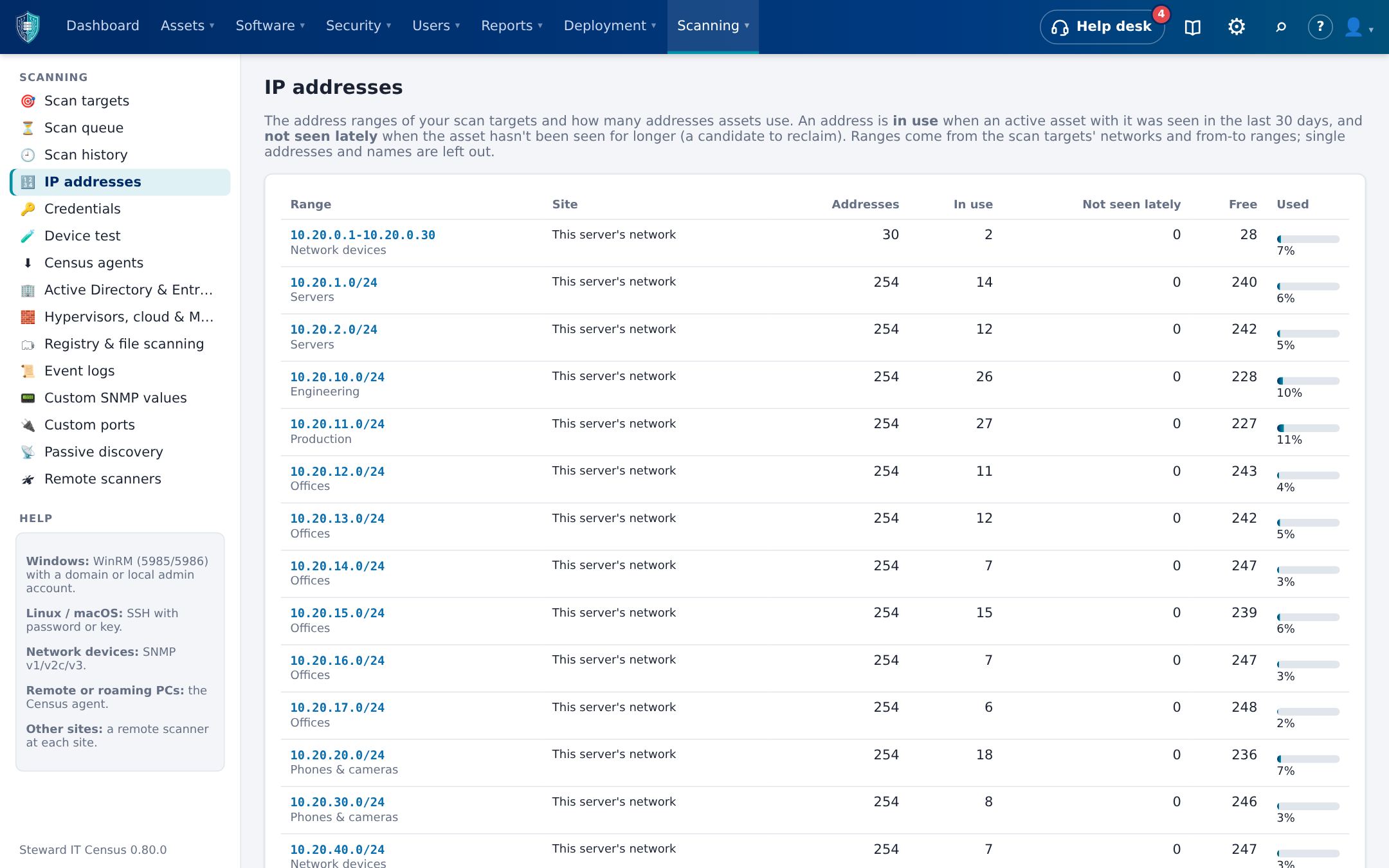
IP address use per scanned range.
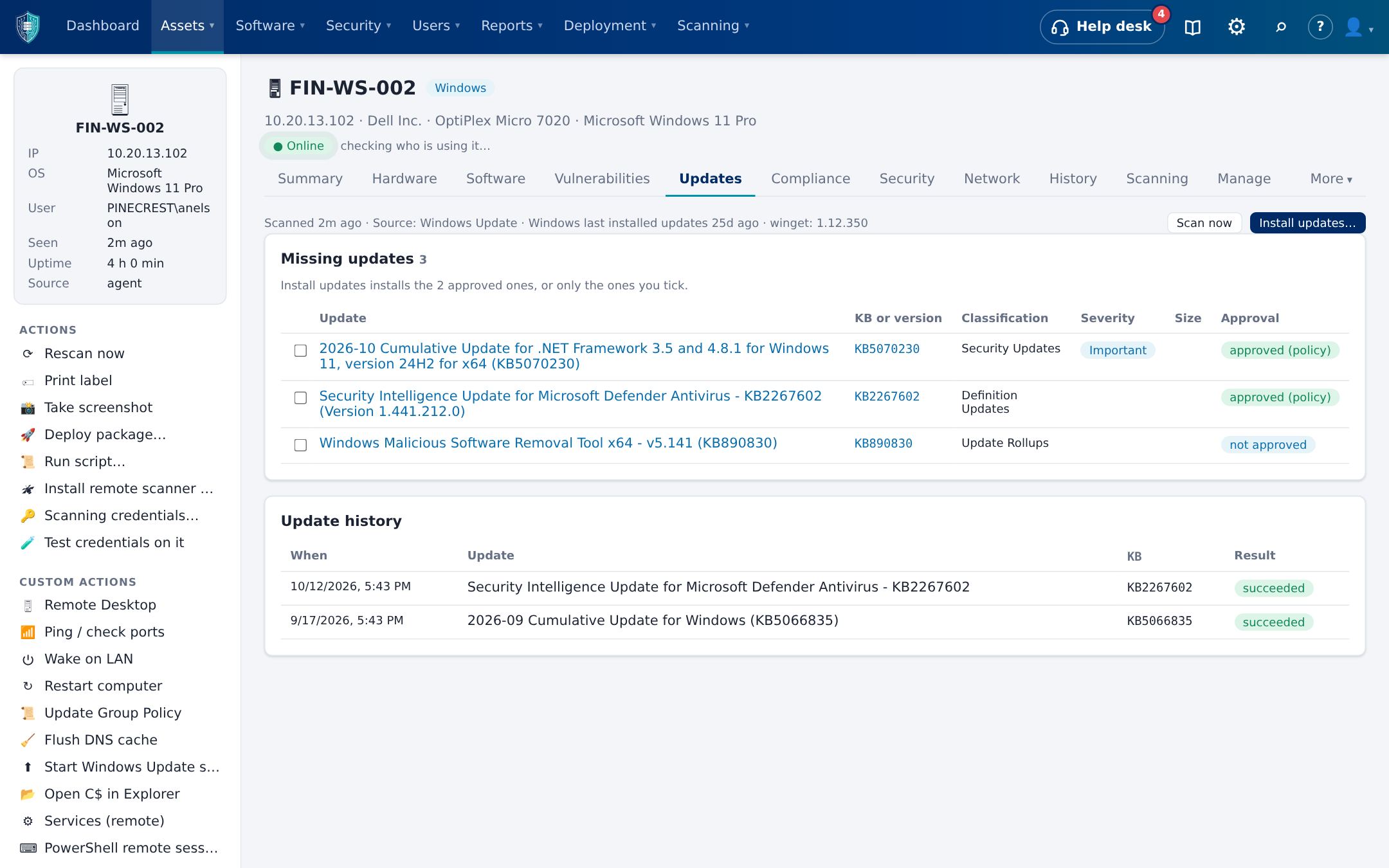
Missing updates and history per computer.
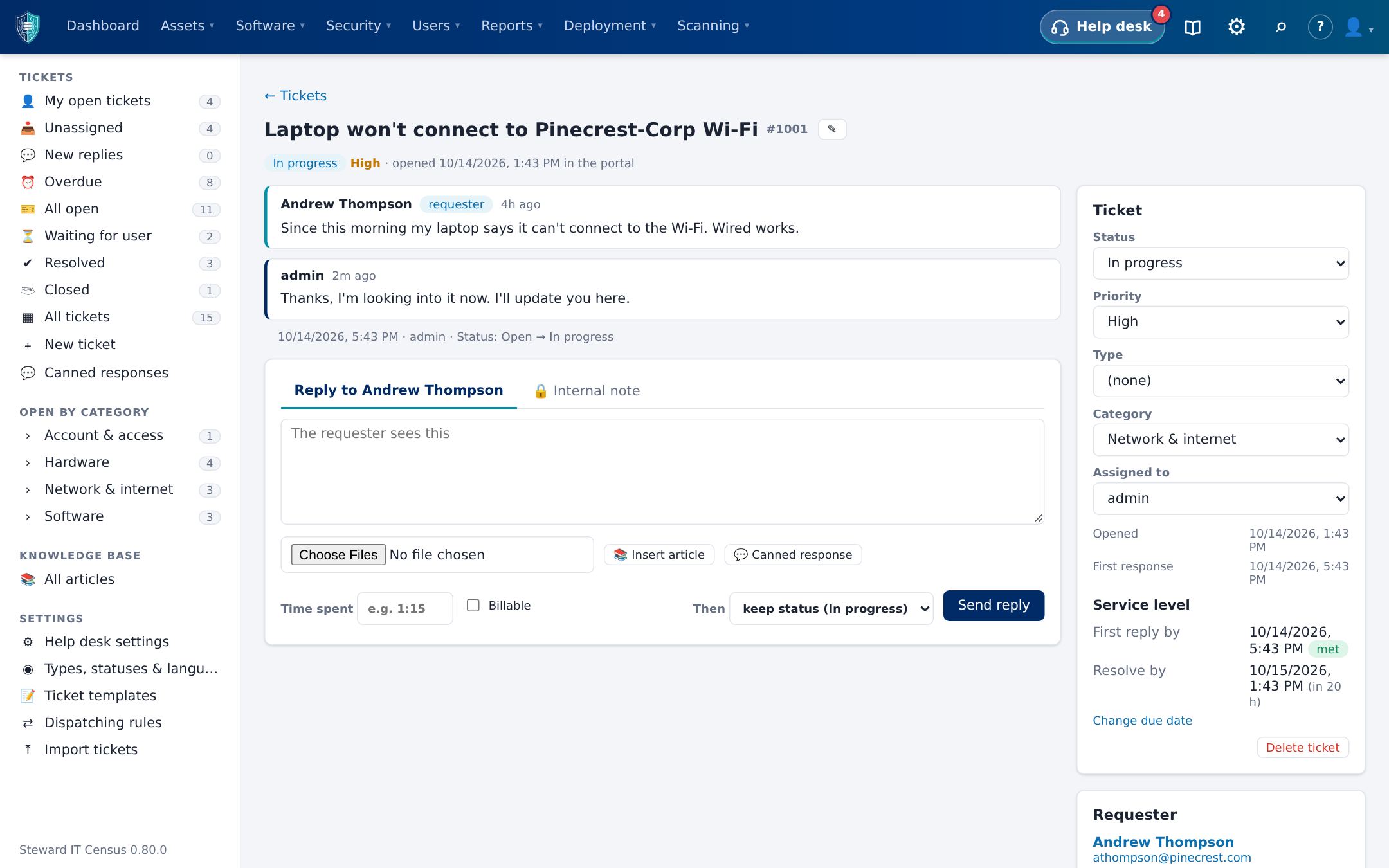
Tickets with service levels and time tracking.
Every feature. One price. Yours to keep.
Free up to 50 assets. $1 per asset, one time, above that.